A 30-Day Rollout Plan for an AI Voice Agent
A week-by-week plan for launching an AI voice agent, with a go-live checklist and the metrics to watch in the first month.
On this page
- Key takeaways
- What should be settled before day one?
- Week 1: what happens during setup and testing?
- Week 2: how do you go live safely?
- Weeks 3 and 4: how do you expand?
- What should you measure in the first 30 days?
- What goes wrong, and how do you fix it?
- How do you bring the team along?
- Frequently asked questions
- Sources
Quick answer: A careful AI voice agent rollout takes about 30 days. Spend the first week on setup and internal testing and the second on a single lead source, reviewing every call. Use the last two weeks to expand while you keep listening. Start with one use case and keep a person on every transfer. Judge the pilot on appointments kept.
Key takeaways
- Technical setup is the short part. The month is for listening to calls and adjusting.
- Begin with one use case and one lead source, so problems are easy to trace.
- Confirm consent before any outbound AI call. The TCPA requires it. (Federal Communications Commission)
- Have the agent say it is an AI. In a 2026 survey, 83% of consumers expected that. (CX Foundation)
- Review every call in the first live week, then a sample each week after.
What should be settled before day one?
Settle four decisions. Making them first keeps the pilot from turning into an argument later.
| Decision | What to settle |
|---|---|
| One use case | A single job, such as calling new leads back or answering after hours |
| One owner | A named person who listens to calls and can change the agent’s questions |
| One success measure | Appointments kept is the best choice for most teams |
| A consent check | Confirm that the leads you plan to call agreed to automated or AI calls (Federal Communications Commission) |
The fourth row stops more rollouts than any technical issue. If your forms do not have suitable consent wording, fix them now and call only the leads collected afterward. Our article on whether AI voice calls are legal has the background.
Week 1: what happens during setup and testing?
The agent is built and then tested by your own people. Nothing goes to a real lead yet.
- Connect the CRM and calendar Check that a test contact appears and that open slots match your real availability.
- Give the agent its knowledge Upload a document or point it at your website. A Google Business profile works too.
- Write the qualifying questions Keep them few. VerbaCall campaigns allow up to five custom questions.
- Set transfer rules Decide who receives live transfers and during which hours. Decide what happens when they do not answer.
- Start texting registration If the agent will send texts, begin 10DLC registration now. (Twilio)
- Call it and try to break it Have several people on your team play difficult leads.
The last step is the most useful one. Ask it something it should not answer, and interrupt it mid-sentence. Note every reply you would not want a customer to hear, and fix those before going live.
VerbaCall’s ready-made agents and CRM connectors cover most of week one. Onboarding is typically done within 48 hours. See the setup
Week 2: how do you go live safely?
On one lead source, with every call reviewed.
Pick a source with steady volume and clear consent, such as your own website form. Turn the agent on for that source only. In Follow Up Boss, for example, a tag can decide which leads are called.
Each morning, the owner listens to the previous day’s calls and reads the summaries. Change one thing at a time, so you can tell what helped. Tell your team what to expect when a transfer arrives, and ask them what they heard.
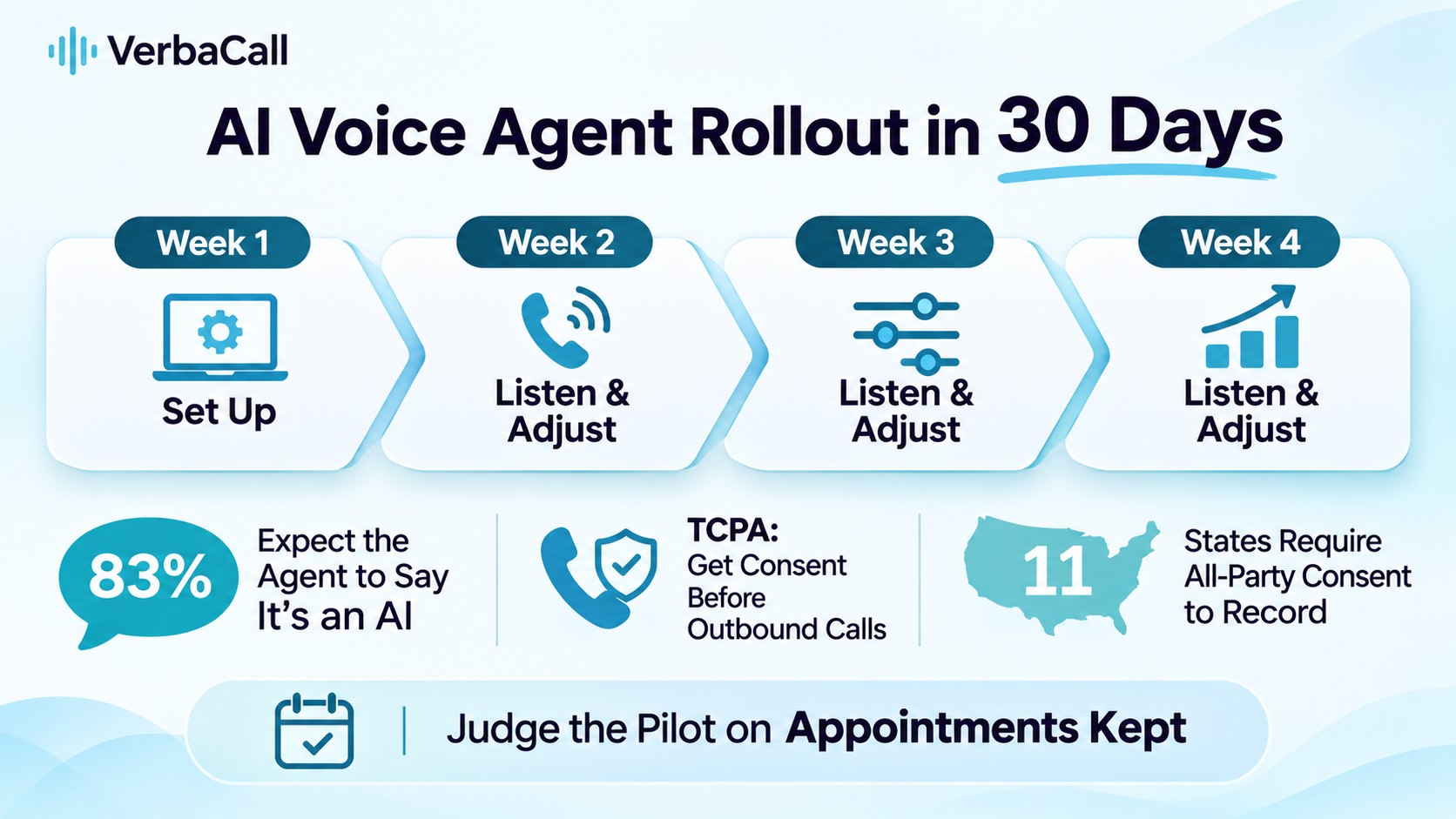
Setup takes a week. The rest of the month is for listening to calls and adjusting.
Weeks 3 and 4: how do you expand?
Expand by one addition per week. Typical next steps are a second lead source or after-hours inbound answering. A follow-up cadence for leads who did not answer can come after that.
Keep the weekly review. By the end of the month you will have heard enough calls to know what the agent does well and where it should hand off sooner.
Go-live checklist
- Consent wording confirmed for every source the agent will call
- The agent introduces itself as an AI assistant in its first sentence
- Callers are told if the call is recorded
- An opt-out request has been tested and the number was suppressed
- Calling hours are set for the lead’s time zone
- A live transfer has been tested, including the case where nobody answers
- The CRM record shows a summary and the recording
- Someone is assigned to review calls each day this week
On the third item, federal law permits recording with one party’s consent, while about 11 states require all parties to agree. (Reporters Committee for Freedom of the Press) An announcement at the start of the call covers both.
What should you measure in the first 30 days?
Measure six numbers. The first two show up within days, and the others need a few weeks.
| Metric | Definition | What it tells you |
|---|---|---|
| Time to first call | Seconds from lead creation to the call | Whether the trigger is working |
| Answer rate | Calls answered divided by calls placed | Caller ID health and timing |
| Conversation rate | Calls lasting past the introduction, divided by calls answered | Whether the opening works |
| Appointments booked | Count, by source | Early output |
| Appointments kept | Count, by source | The result that matters |
| Opt-outs and complaints | Count, with the recording for each | Consent or tone problems |
Compare against the same lead source in the month before the pilot. Do not compare against a vendor’s averages.
What goes wrong, and how do you fix it?
The same few problems appear in most rollouts.
| Problem | Likely cause | Fix |
|---|---|---|
| Leads say they never asked for a call | Weak consent wording, or an old list | Limit calls to sources with clear consent |
| The agent gives a wrong answer | A gap or an error in its knowledge | Correct the source document and retest |
| Transfers go unanswered | Transfer hours do not match staff schedules | Narrow the hours, and book callbacks outside them |
| A lead gets two calls from two systems | Another automation is still running | Turn one off, or separate them with tags |
| Answer rates fall after a good start | The number is being labeled as spam | See our guide to fixing “Spam Likely” labels |
Plan your first week with us Book a demo and bring your CRM and lead sources. We will map out week one together. Book a demo
How do you bring the team along?
By showing them what changes in their day. For most agents and counselors the change is small and welcome. Fewer cold dials, and more calls from people who have already said they want to talk.
Play a few recordings at a team meeting, including one that went badly and how you fixed it. People trust a tool more once they have heard it fail and seen it corrected.
Costs should be reviewed at day 30 as well, against the minutes used. Our pricing guide explains the models. If you are still choosing a product, start with how to choose an AI voice agent.
Day one can be this week Try VerbaCall free with 30 minutes of call time, or book a demo to plan your rollout. Book a demo or Try for free
Frequently asked questions
How long does setup take?
The technical part is often quick. VerbaCall onboarding is typically done within 48 hours. Texting registration can take longer, so start it first if you plan to send texts. The rest of the month is for testing and tuning.
Should we start with inbound or outbound?
Start with whichever gap costs you more today. If new web leads wait hours for a call, begin with outbound on one lead source. If calls go to voicemail every evening, begin with after-hours inbound.
How many calls should we review?
All of them in the first live week. After that, review at least a sample each week, and every call that ended in an opt-out or a complaint.
When is it safe to expand?
When a week passes without a call that embarrasses you. That is a subjective test, and it works. Expand one source or one use case at a time.
What if the pilot disappoints?
Find out which stage is failing. Low answer rates point to caller ID or timing. Calls that are answered and go nowhere point to the opening lines or the questions. Fix one stage and run another two weeks before deciding.
Sources
- Federal Communications Commission, February 2024. FCC Confirms TCPA Applies to AI Technologies That Generate Human Voices
- CX Foundation, June 2026. Coverage of Invoca’s 2026 B2C Buyer Experience Report
- Reporters Committee for Freedom of the Press. Introduction to the Reporter’s Recording Guide
- Twilio, accessed November 2026. A2P 10DLC registration overview
About VerbaCall. VerbaCall is an AI voice agent platform. It calls new leads within about 20 seconds, answers inbound calls at any hour, books appointments, and warm-transfers ready callers to your team. Each conversation is written back to your CRM, with text and email follow-up alongside. It is built on Twilio and serves US businesses in real estate, senior living, home care, healthcare, and restaurants. See how VerbaCall works.